
The Canton Fair, officially known as the China Import and Export Fair, is the largest trade fair in China, Asia, and one of the largest in the world. It provides unparalleled access to a wide range of industries, factories, and suppliers in one place across three phases: Phase 1, Phase 2 and Phase 3.
What is the Canton Fair Invitation Letter?
Under China’s current entry policies, citizens of many countries can enter China visa‑free for short stays (up to 30 days) for business, tourism, family visits, exchanges, or transit, which can make attending the fair easier without a visa. This visa‑free policy applies to numerous European countries such as France, Germany, Italy, Spain, the Netherlands, Switzerland, Austria, Belgium, Poland, Greece, and others, as well as Asia‑Pacific countries including South Korea, Japan, Australia, and New Zealand, and Latin American countries such as Brazil, Argentina, Chile, Peru, and Uruguay. It also covers some Middle East nations like Saudi Arabia, Oman, Kuwait, and Bahrain, valid through December 31, 2026.
However, citizens of countries that are not included in the visa‑free list, for example, India, Pakistan, Bangladesh, Vietnam, Thailand, most central and west Asian countries, and many African nations must obtain a visa before traveling to China. In these cases, an official Canton Fair invitation letter is required to support the Chinese visa application. This guide explains how to pre‑register, apply for a visitor badge, and obtain the invitation letter you will need for your visa application.
Step 1: Register on the Canton Fair Official Website
Open the official registration page on a desktop: Canton Fair Registration
Select you visiting type: (Overseas Buys).
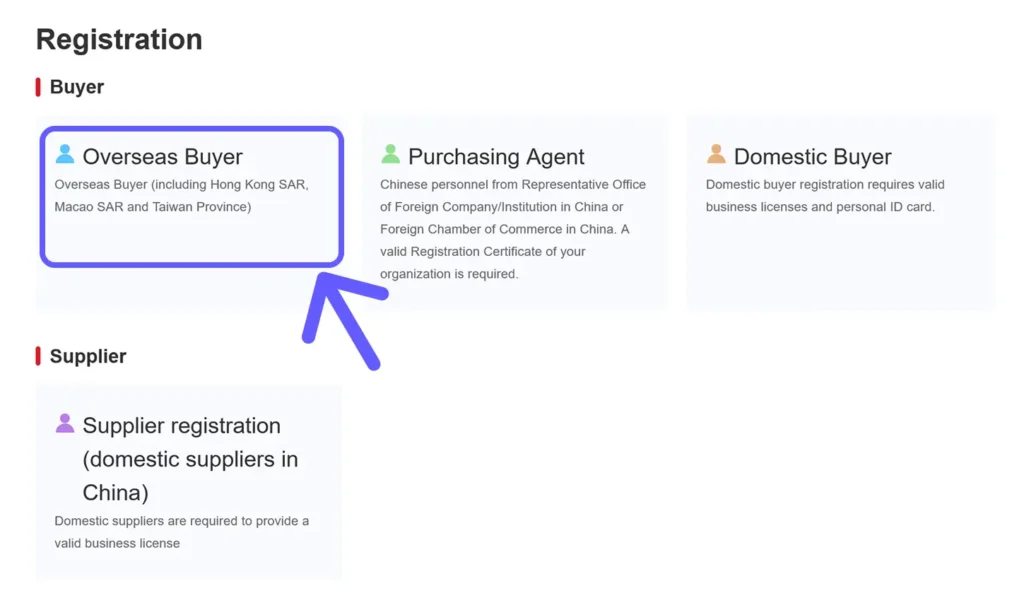
Enter a valid email address.
Note: Some international email providers like Yahoo or Gmail may not reliably receive verification emails. Using a Chinese email provider like QQ is recommended.
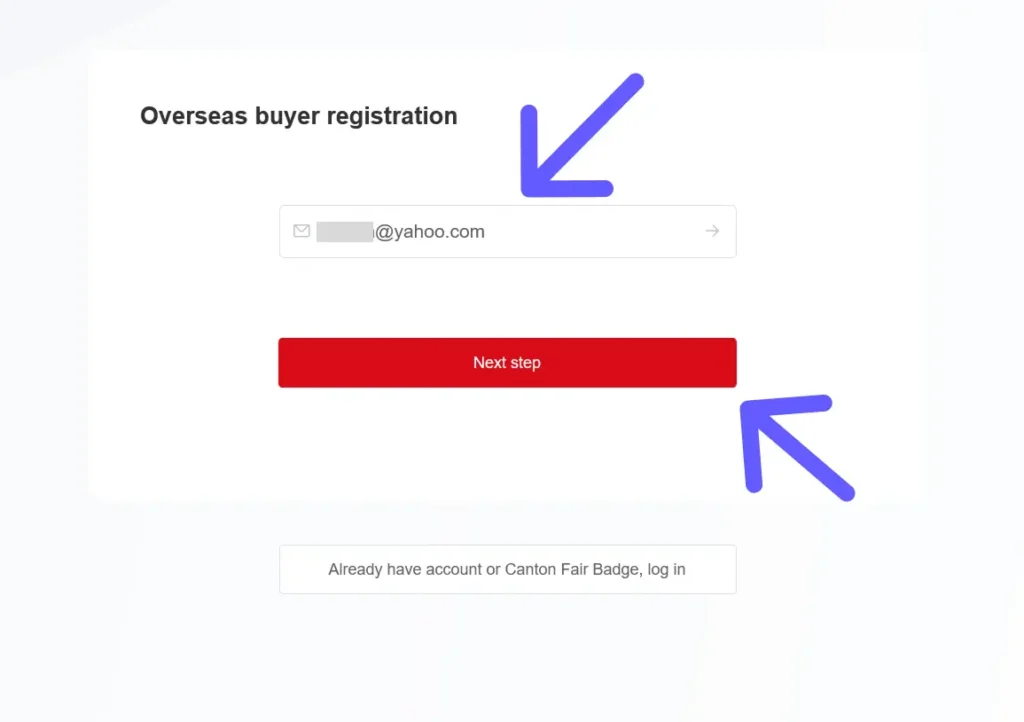
Click next (you may encounter a popup where you need to slide if prompted.)
Step 2: Fill in Personal Information
You will be prompted to complete a personal information page and upload a passport photo and a white-background photo for your badge. Required details include:
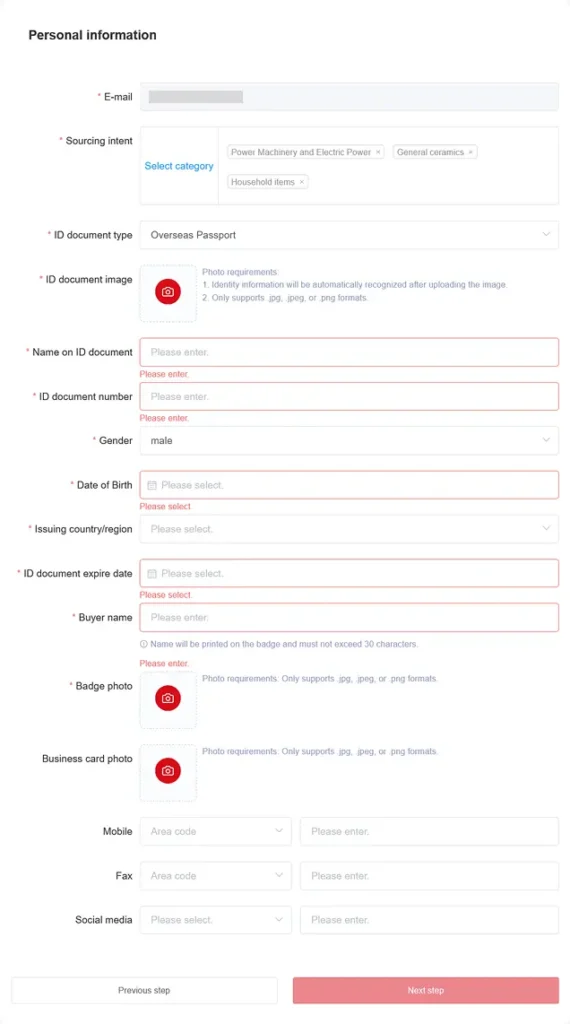
- Email (pre-filled from previous step)
- Sourcing intent (choose one or more industries of interest)
- ID document type (select “Overseas Passport”)
- Upload passport image (JPG, JPEG, PNG),
- Name on ID
- Passport number
- Gender
- Date of Birth
- Issuing country
- Passport expiry date
- Buyer name (max 30 characters; will appear on badge)
- Badge photo (white background, JPG/JPEG/PNG)
Optional: Business card image, mobile number, fax, social media.
Step 3: Fill in Company Information
Provide details about your company:
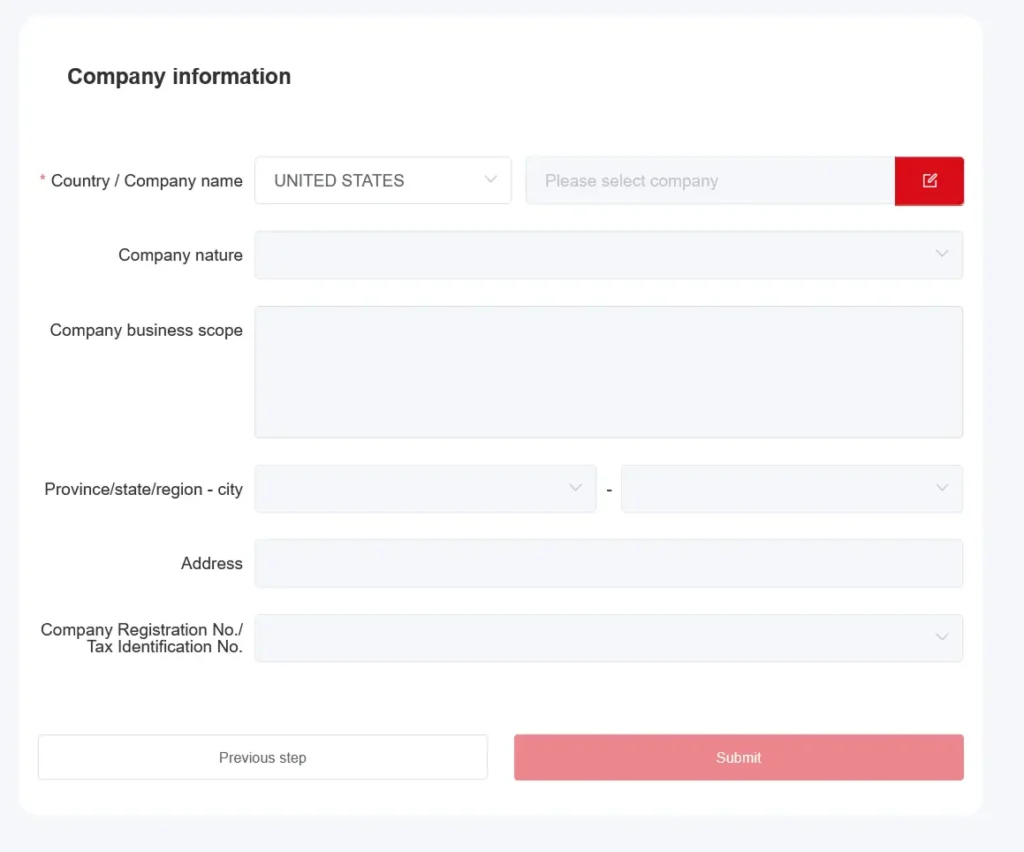
- Country
- Company name
- Company type (importer, wholesaler, distributor, exporter, retailer, trade company, manufacturer, consulting agency, other)
- Business scope (choose relevant categories)
- Address (office/home)
- Optional: Province/state, company registration number/tax ID
Click Submit. You will see a success message and be redirected to the homepage.
Step 4: Set Up Your Account Password
Go to Login.
Select Overseas Buyer / Purchasing Agent.
Click Forgot Password, enter your email, and request a verification code.
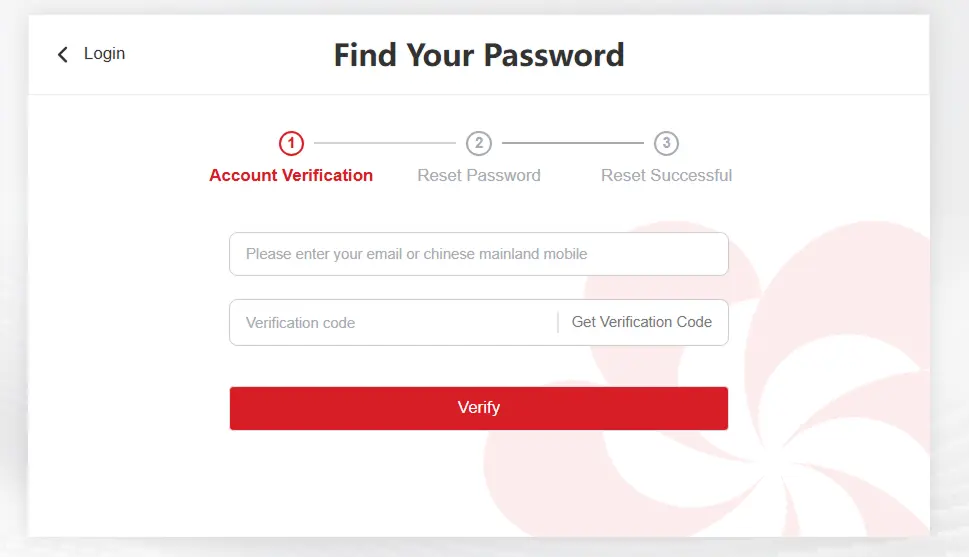
Enter the verification code received in your email, then set a new password (letters and numbers) and confirm. Your account is now ready.
Tip: To modify your password later, access Personal Center > My (Left sidebar menu) > Modify Password from your dashboard.
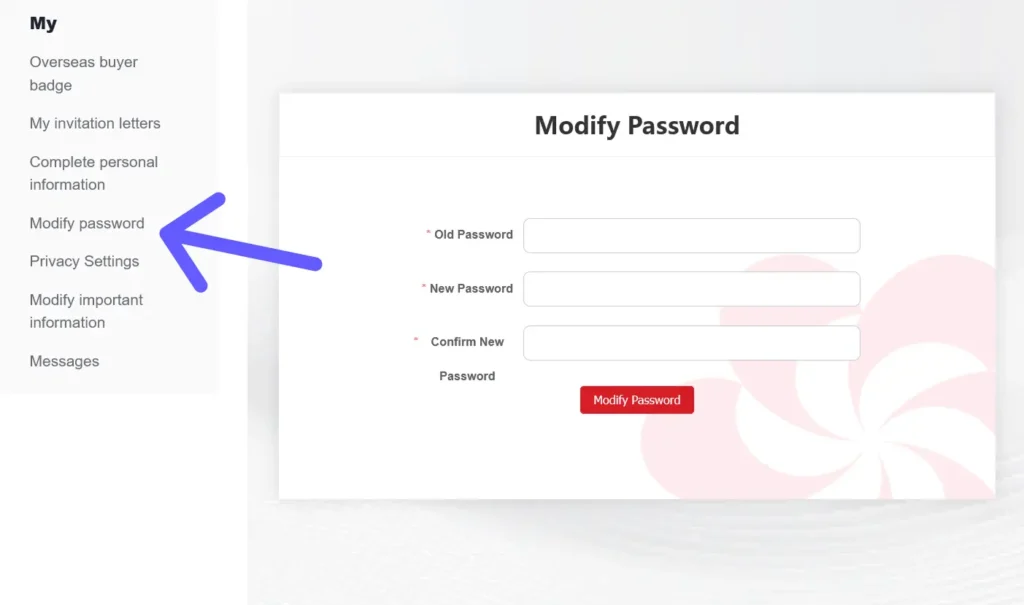
Step 5: Modify/Complete Personal and Company Information
if you need to modify or change your information or company information details. From your personal center dashboard:
Go to My > Complete Personal Information to update your details.
Go to Company Management > My Company to update company information.
Step 6: Pre-Register for Overseas Buyer Badge
Before applying for an invitation letter, you must pre-register as an overseas buyer for the canton fair edition you will visit, usually opens within 3 months before each edition:
Click Pre-Register on the Canton Fair banner or go to: Pre-Registration Page
Fill in the survey and select the sessions you plan to attend. Submit the form.
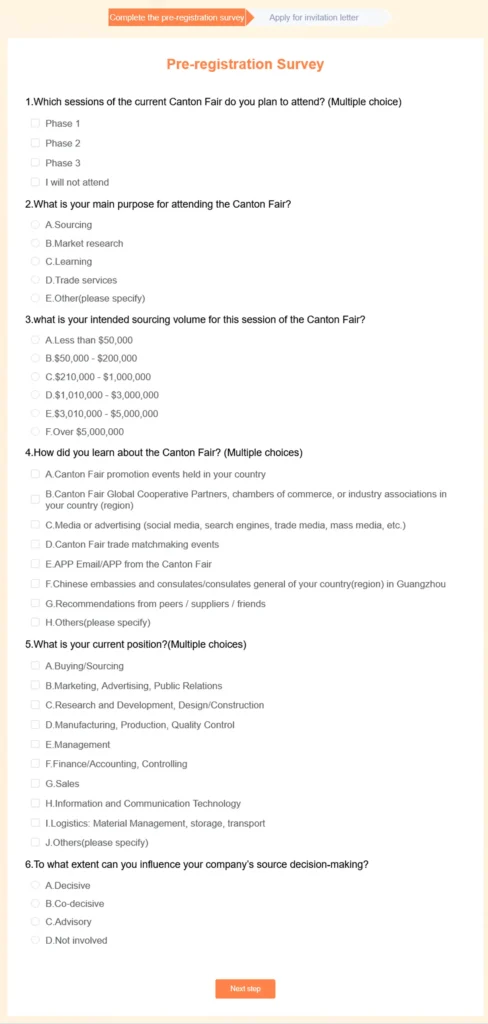
Step 7: Apply for Your Visitor Badge and Invitation Letter
Go to My > Overseas Buyer Badge or visit: Badge Application.
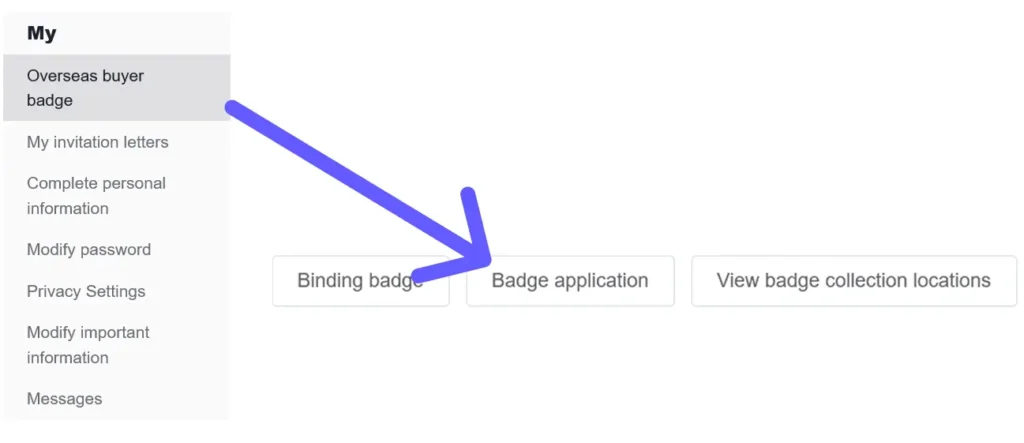
Click Badge Application. Your personal information and uploaded photos will appear pre-filled.
Check the box “Generate Invitation Letter Simultaneously” (invitation letters have limited application attempts).

Click Submit. A popup will show: “Please bring the original valid ID documents to [location] to collect your badge. An invitation letter has been automatically generated for you. To view it, click here.”
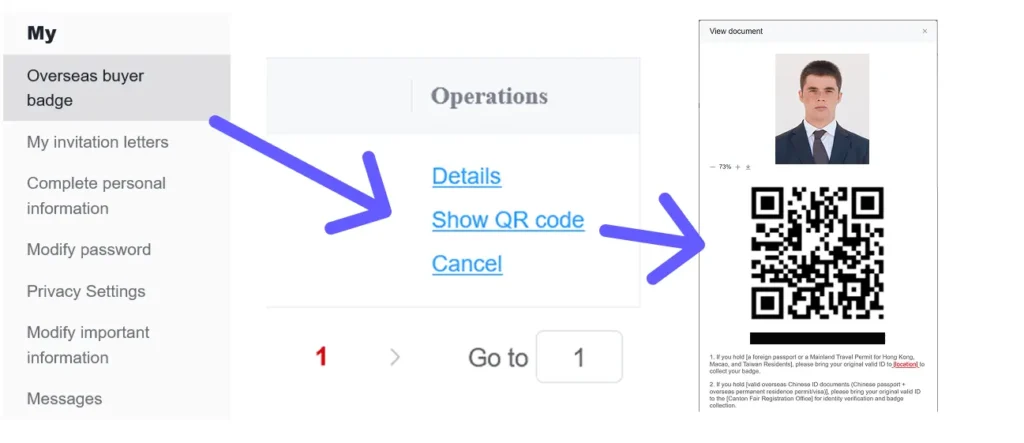
You can track or check your QR code in: Personal Center > My > Overseas buyer badge > Show QR code. You will need to present it with your valid passport/ID at the Canton Fair Registration Office upon arrival to collect your physical badge.
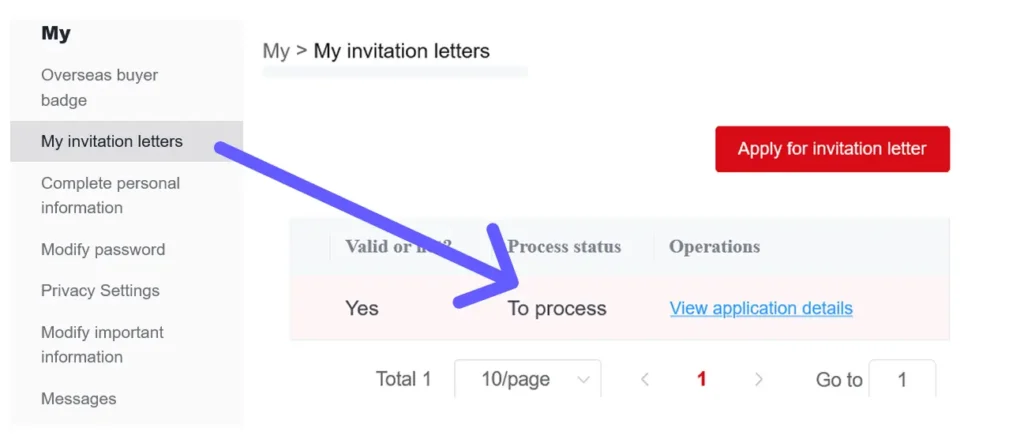
You can track or check your Invitation letter: Personal Center > My > My Invitation Letter > View application detail. It will first appear as “To process”, it may take few days to be confirmed.
Important Notes
- You can apply for up to 5 invitation letters per session.
- Once a new invitation letter is generated, the previous one becomes invalid.
- Always present the latest invitation letter when applying for a visa.